5.02km
Time32:18
Avg pace6'26"
Burned318kcal
Indoor running, reinvented
Real-world routes, 3D running buddies and a plan built for you. Connect your treadmill and every indoor run becomes a journey.
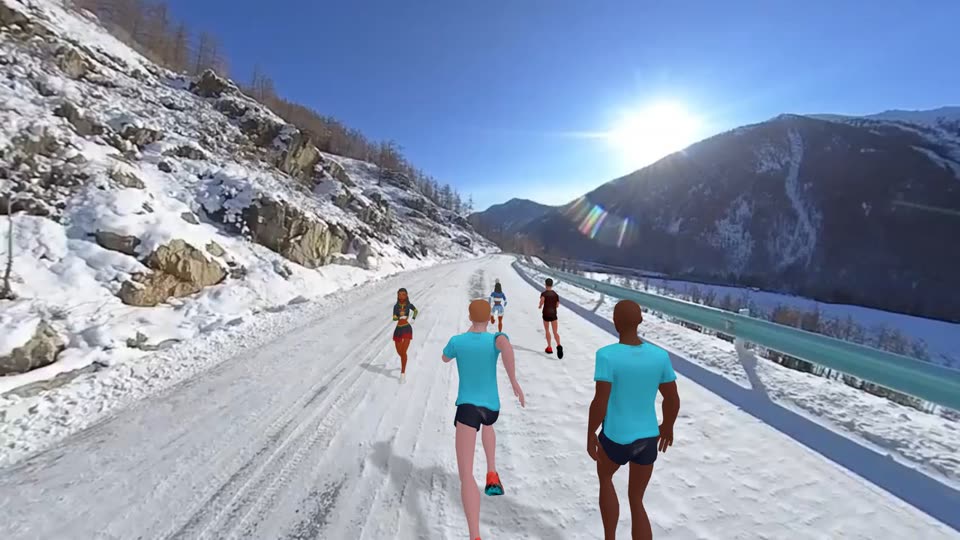
01Scenic Routes
Famous routes filmed around the world, plus fantasy tracks made with AI. The video follows your treadmill speed: speed up and the scenery speeds up; stop, and it waits for you.
023D Buddies
Dozens of 3D avatars and pets run right beside you on screen. Change the look, change the pace, and drag to spin them around.
03Run Together
Join a track and see who's running nearby. Run side by side in real time and watch the ranking change with every stride. Find a rival tonight.
04Training Plans
Answer a few quick questions: your current level, how many days a week you can train, and for how long. Your goal is broken down into weeks and sessions. Log how each run felt, then take the next step.
Alternate walking and running, and gradually run longer without stopping.
Easy to moderate. You should still be able to talk while running.
For illustration only. Your actual plan is generated from your answers. If you feel unwell, follow professional advice.
05Devices
Open the app near your treadmill and speed, incline and distance sync to your phone in real time. No more writing numbers down.
No Bluetooth on your treadmill? Hold a second phone or strap it to an armband. It estimates your speed from cadence and arm swing and sends it to your main phone.
Don't want to connect anything? Choose “Try manual experience” in the app, follow the voice cues and adjust speed and incline on your treadmill yourself. Tracks and workouts still run with you.
Supports FTMS and other common Bluetooth protocols. Compatibility varies by model.
Speed is an estimate. Both phones need to stay online. Each placement only needs to be calibrated once.
In manual mode, speed and distance are simulated from the workout targets and are for reference only.
06Run Recap
Pace curve, intensity zones, splits and new-record alerts. Understand your run at a glance, then share it as an image in one tap.
Speed up, slow down, how far to go. Real-time cues in your ear, no need to look at the screen.
Switch between running stations in many styles. When the beat kicks in, your feet follow.
Intervals, hills, fat burn, long runs. Pick one by duration and intensity and go.
Every run earns XP and unlocks badges. Watch yourself level up.
A treadmill and a phone. Bluetooth treadmills sync speed and distance automatically. Without Bluetooth, you can use a second phone as a sensor, or choose “Try manual experience” and adjust the speed yourself following voice cues.
The app supports FTMS and other common Bluetooth protocols. Compatibility varies by brand and model, so download the app and search for your treadmill under “Connect Device”.
Two options. Use a second phone as a running sensor: show a pairing QR code on your main phone, scan it with the second phone, hold it or strap it to an armband, and run naturally for 20 seconds to calibrate. Speed is estimated from cadence and arm swing, and both phones need to be online. Or choose “Try manual experience” and adjust your treadmill yourself following the workout's voice cues; speed and distance are simulated from the workout targets.
Scenic routes are filmed in the real world. AI tracks are scenes generated with AI, like a cyberpunk rainy night, a glacier or a lantern-lit old town, with crowds cheering you on. Both play at your running speed.
Most tracks are streamed, so you need a connection while running. Wi-Fi is recommended for the sharpest picture. A few built-in tracks work offline.
Yes. Plans are built around your current level and how many days and minutes you can train each week. Starting with walk-run intervals is perfectly fine. If you have health concerns, talk to your doctor first.

Download Treadmill Buddy and start your first journey.